Showing posts with label apex. Show all posts

Thursday, August 13, 2020

Passing parameters to Custom Label in Apex

Custom labels enable developers to create multilingual applications by automatically presenting information (for example, help text or error messages) in a user’s native language. Custom labels are custom text values that can be accessed from Apex classes, Visualforce pages, or Lightning components. The values can be translated into any language Salesforce supports. (more here: https://help.salesforce.com/articleView?id=cl_about.htm&type=5)

But what if we want to be able to add dynamic Custom Label in APEX? Instead of concatenating several labels and dynamic variables, this can be achieved using a single Custom Label.

Example: Account Spoon Consulting Ltd has 130 contacts and 300 opportunities.

In the above label, the account name, contact amount and opportunity amount are dynamic values which have been fetched from the Account record. 

Here is how the label will look after adding the merge parameters: 
Account {0} has {1} contacts and {2} opportunities.

Syntax to reference a Custom Label in Apex: 
System.Label.AccountSummary

Below is how we replace the merge fields in the custom labels:
String.format(System.Label.AccountSummary, 
   new List<Object>{ 'Spoon Consulting Ltd', 130, 300 });
Output: 

Using the above method, you can easily add translation to the label and fully customizable in any language without the need to modify the code. 

Hope this article was useful to you. 

Cheers :)

Friday, April 24, 2020

Dynamically access any variable in an instance class

In this blog post, I will show you how to access any variable on an instance of an Apex class dynamically.

This is something useful when you want to make dynamic feature which are based on setting, especialy when doing ISV stuffs.

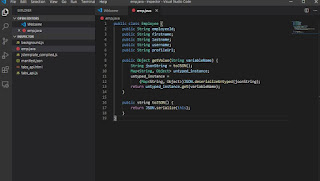
The code is as simple as below:

public class Employee {
    public String employeeId;
    public String firstname;
    public String lastname;
    public String username;
    public String profileUrl;

    public Object getValue(String variableName) {
        String jsonString = toJSON();
        Map<String, Object> untyped_instance;
        untyped_instance = 
            (Map<String, Object>)JSON.deserializeUntyped(jsonString);
        return untyped_instance.get(variableName);
    }
    
    public string toJSON() {
        return JSON.serialize(this);
    }
}

Example:

Employee emp = new Employee();
emp.employeeId = 'test';
emp.firstname = 'kevan';
emp.lastname = 'moothien';
emp.username = 'kevanmoothien';
emp.profileUrl = 'https://picsum.photos/200/300';

system.debug(emp.getValue('firstname')); // returns kevan
system.debug(emp.getValue('lastname')); // returns moothien

Here is a use case where this kind of integration can be used based on the above code.
Suppose you have to develop a custom related list lightning component which would be used on several layout. But on each layout, it has to display different columns.

To achieve this, we would think of different component and hardcoded variable. But, this can be done by simply having a Custom Metadata type to save the setting of each layout and the related list custom component can simply display the columns value dynamically using the above code based on the setting provided in the Lighting app builder.

Hope this is useful to you trailblazers.

Cheers :)

Monday, December 3, 2018

Mock HTTP callouts in a Managed Package


In this blog, I will show you how to mock callout response which is in a managed package.


I found out that many developers are using Test.IsRunningTest() in their Apex classes to avoid writing Mock responses for http callouts and if the callout comes from a Managed Package, they are stuck with this message "Methods defined as TestMethod do not support Web service callouts".

As per Salesforce Documentation, "To mock a callout if the code that performs the callout is in a managed package, call Test.setMock from a test method in the same package with the same namespace."

So to be able to mock callout which is performed in a managed package, the line doing "Test.setMock" should be called from the managed package itself.

So what we did in the SharinPix (ISV) managed package, we added a global class which take a HttpCalloutMock class as parameter and execute the Test.setMock from within the package.

@isTest
global class HttpCalloutSimulator {
    global static void setMock(HttpCalloutMock mock) {
        Test.setMock(HttpCalloutMock.class, mock);
    }
}

By adding the above class in your package and making it global so that it ca be called outside the managed package make it easy to mock code which are doing callout in your package without getting error messages.

You will just need to call it as below:

[namespace].HttpCalloutSimulator.setMock(mock);

Example on how to use it:

sharinpix.HttpCalloutSimulator.setMock(HttpCalloutMock mock);  
//where the variable mock is the instance of your HttpCalloutMock class

Links: 

Saturday, December 1, 2018

What is Remote Action in Salesforce?

In this blog, we will learn how to use Remote Actions in Visualforce Page.

But what is a Remote Action? 


Remote Action is a way to access Apex method using Javascript in your Visualforce page.
It allows you to create pages with complex, dynamic behavior that isn’t possible with the standard Visualforce AJAX components.

Remote action method should always have the @RemoteAction annotation and it should be Static.

Let's take an example where we need to retrieve the first five Cases with Status to New.


Output:

Point to remember:

  • @RemoteAction annotation is mandatory
  • Remote Action methods should always be static
  • If you are using the Visualforce Page inline in a Page Layout, then the method should be declared as global instead of public

Saturday, November 18, 2017

Rendering Visualforce pages with Lightning Experience Stylesheets

winter-18-logoWith the latest release (Winter 18) of Salesforce, a new feature has been added to help style a Visualforce page to Lightning Design with only a single attribute to add on the apex:page xml tag. It will only be viewable under Lightning Experience or on the Salesforce app (formerly known as Salesforce1). If viewed on Salesforce Classic, the styling won't work.

Add the attribute LightningStylesheet and Salesforce get the work done for you.

Here is a sample page I made to illustrate the changes in Salesforce Classic and Lightning Experience.

Salesforce Classic 

Lightning Experience
Salesforce Classic with Inputs

Lightning Experience with Inputs

Note:

  • This is a beta version of the feature. It is still under development by the Salesforce team. 
  • You can also use the apex:slds tag for creating custom component
  • It is only available in the Winter 18 api (41). You will have this error with older api version: "Unsupported attribute lightningstylesheets in <apex:page>"

Additional Resources:
https://developer.salesforce.com/docs/atlas.en-us.pages.meta/pages/vf_dev_best_practices_slds_lightningstylesheets.htm


Monday, May 15, 2017

Upload attachment on Salesforce without having heap size limit exceeded

Have you ever had a form for uploading attachments on your Visualforce page but had to restrict it to file size limit so as not to exceed Salesforce heap size governor limit?

Well this limit can be override to a maximum of 25 megabytes instead of around 3 megabytes using apex controller. It also support multiple upload at once.

Here is how I have achieved it.
Integrate the following code to your visualforce page. Basically to just need to replace the variable 'PARENT_ID' and maybe change the listener of the 'input' if yours have a different selector. 


Document of size 9 mb has been uploaded.


Attachment being created on the Contact record.


Hope it helps. Cheers!!
``` html
<apex:page >
    <apex:includeScript value="https://code.jquery.com/jquery-2.2.4.js"/>
    <script>
    jQuery(document).ready(function($) {
        $('input').on('change', function(e){
            for (var i = 0; i < this.files.length; i++) {
                uploading += 1;
                upload_file(this.files[i], PARENT_ID, function(err, res){ //pass the parentId here
                    if (uploading === uploaded){
                        console.log('uploaded'); //your operation once finish
                    }
                })
            }
        });
        var uploading = 0;
        var uploaded = 0;
        var upload_file = function(file, parentId, callback) {
            filetoBase64(file, function(err, content){
                var attachment_object = {
                    parentId: parentId,
                    Body: content,
                    Name: file.name,
                    ContentType: file.type
                };
                $.ajax({
                    url: '/services/data/v38.0/sobjects/Attachment',
                    data: JSON.stringify(attachment_object),
                    type: 'POST',
                    processData: false,
                    contentType: false,
                    headers: {'Authorization': 'Bearer {!$Api.Session_ID}', 'Content-Type': 'application/json'},
                    xhr: function(){
                        var xhr = new window.XMLHttpRequest();
                        //Upload progress
                        xhr.upload.addEventListener("progress", function(evt){
                            if (evt.lengthComputable) {
                                var percentComplete = evt.loaded / evt.total;
                                //Do something with upload progress
                            }
                        }, false);
                        return xhr;
                    },
                    success: function(response) {
                        uploaded += 1;
                        console.log(response); // the id of the attachment
                        callback(null, true)
                    }
                });
            })
        }
     
        var filetoBase64 = function(file, callback){
            var reader = new FileReader();
            reader.onload = function() {
                var fileContents = reader.result;
                var base64Mark = 'base64,';
                var dataStart = fileContents.indexOf(base64Mark) + base64Mark.length;
                fileContents = fileContents.substring(dataStart);
                callback(null, fileContents);
            }
            reader.readAsDataURL(file);
        }
    });
    </script>
    <input type="file" multiple="multiple"/>
</apex:page>
```

Saturday, April 1, 2017

Detect if visualforce is inline on a page layout from its apex controller

This tutorial will explain to you on how to detect if a visualforce page is embedded inside of a detail page layout.

To be able to detect if a VF is being on a page layout in an inline section from a custom apex controller. The following code needs to be implemented. You can tweak around the code to mean your requirement.


Moreover you can use the very same Visualforce to override buttons like "New" and "Edit" so that you can have only one Visualforce page to for different operation like creation of a new record or editing the record.

public class CheckState {
    public String vfMode {get; set;}
    private Map<String, String> urlparams = new Map<String, String>();
    public CheckState(ApexPages.StandardController std){
        urlparams = ApexPages.currentPage().getParameters();
        if (urlparams.get('id') == null){
            vfMode = 'New';
        } else if (urlparams.get('id') != null & urlparams.get('retURL') != null) {
            vfMode = 'Edit';
        } else if (urlparams.get('id') != null & urlparams.get('retURL') == null){
            vfMode = 'View';
        }
    }
}

Saturday, February 18, 2017

Retrieve Salesforce custom label dynamically in Apex

Ever wonder if it is possible to retrieve custom labels dynamically but not sure whether it is possible? Well, the answer is yes. You can retrieve custom labels dynamically.

Here is how you can achieve it. You just need to integrate the following code in  your apex class.

Hope you like it. Cheers!
public static String getLabelString(String labelName ){ Component.Apex.OutputText output = new Component.Apex.OutputText(); output.expressions.value = '{!$Label.' + labelName + '}'; return String.valueOf(output.value); }

Sunday, February 12, 2017

Introduction to Apex

Each year we are having struggle training fresh graduate from the University into learning the basic of Salesforce Apex programming language. They mixed up the syntax with what Java would look like.
So we came up with a list of things that would speed up the process of training.

Here's a list of the commonly used syntax in Apex and restrictions:

Hope this tutorial is useful to you.

Cheers!

# Intro to apex

## Basic operation
``` java
//variable declaration
Integer val = 0;
string str = 'Super test'; // apex allow only single quote for string variable
boolean isDeleted = true;

/*Concatenate string*/
string firstname = 'John';
string lastname = 'Doe';
string name = firstname + ' ' +  lastname;
```

## Debug Apex code
``` java
string name = 'Super test';
system.debug('### '+name); // ### Super test

```

## Collection
A collection in apex is either a "List", "Set" or a "Map"

``` java
/**
* List
*/
//Populating method 1
list<string> carList = new list<string>();  //initializing an empty list
/*Populating the list*/
carList.add('Honda');
carList.add('Toyota');
carList.add('Mazda');

//Populating method 2
list<string> carList = new list<string>{'BMW', 'Mercedes', 'Audi'};

/**
* Set
*/
set<string> referenceSet = new set<string>();
referenceSet.add('test');
//or
set<string> referenceSet = new set<string>{'test'};

/**
* Map
* A map consists of a key and value. The key should always be a primitive type (string, integer, id, ...).
*/
map<string, string> countryCodeMap = new map<string, string>(); //initiliazing an empty map
//Populating a map
countryCodeMap.put('Mauritius', 'MU');
countryCodeMap.put('France', 'FR');
//or
map<string, string> countryCodeMap = new map<string, string>{'Mauritius'=>'MU', 'France'=>'FR'};

//accessing a value for a specific key in the map
string franceCode = countryCodeMap.get('France'); //returns FR
```

## sObject
Any standard and custom object in Salesforce is represented as an sObject in Apex.

Example

| Object type | Name     | Api name (as represented in apex) |
| ----------- | ---------- | ----------------------------------- |
| Standard | Account  | Account |
| Standard | Contact | Contact |
| Custom | Car | Car__c |
| Custom | Job | Job__c |

``` java
//Create a new instance of an sObject
Contact con1 = new Contact(); //initializing an instance of a contact
con1.Firstname = 'Jane';
con1.Lastname = 'Doe';

// or
Contact con1 = new Contact(Firstname='Jane', Lastname='Doe');

/*custom object*/
Job__c job = new Job__c();

//creating an instance of an existing record
Account salesFr = new Account(Id='0012400000YwpHM'); //you just need to instantiate with the field "Id"

```

### Note
A lookup or master-detail relationship fields in apex is represented by an Id.

## DML
DML operations consists of:
- insert
- update
- upsert
- delete
- undelete
- merge

### Insert
```java
Account telecom = new Account(Name='Telecom');
insert telecom;
```
### Update
```java
telecom.Name = 'Telecom - Head office';
update telecom;
```
### Upsert
It does an insert if record not found else update if found.
Generally use with an ExternalId (a flag on a field to make it an index)
```java
//account does not exist
Account sbm = new Account(Name='SBM');
upsert sbm; // will create an account with Name = SBM
//account exist
Account sbm = new Account(Id='0012400000YwpHM', Name='SBM - Closed');
upsert sbm; // will update with Name = 'SBM - Closed'

//update a contact based on its external id (here Email is defined as external id)
Contact con1 = new Contact(Email='plop@test.com', Lastname='Plop');
upsert con1 Contact.Email;
```
### Delete and Undelete
Can only delete instance which contains an Id.
```java
Account sbm = new Account(Id='0012400000YwpHM');
delete sbm;

undelete sbm;
```

## SOQL queries
SOQL query will always return the following:
- an sobject
- a list of sobjects
- a list of objects

### Basic query
```java
//Returning only one record
Contact jane = [SELECT Id, Firstname, Lastname FROM Contact WHERE Id = '0032400000GRVvY'];

//returning a list of record
list<Account> accountList = [SELECT Id, Name FROM Account];
```
### Advanced query
```java
// returning a list of contact with their account name
list<Contact> contactList = [SELECT Id,
                                    Firstname,
                                    Lastname,
                                    Account.Name
                            FROM Contact
                            WHERE AccountId != null];

// returning list of account with their children(contacts)
list<Account> accountList = [SELECT Id, Name,
                                (SELECT Id, Firstname, Lastname from Contacts)
                            FROM Account];
```
Notice that the child relationship is in plural.
If a custom object was used here
- parent relationship: objectName**__r**
- child relationship: objectName**s__r**


## Loops
``` java
for(integer i = 0; i < size; i++){
  // code here
}

/*Example*/
list<string> firstnames = new list<string>{'John', 'Jane'};
list<string> lastnames = new list<string>{'Smith', 'Doe'};
list<string> names= new list<string>();
for(integer i = 0; i < firstnames.size(); i++){
  string name = firstnames[i] + ' ' + lastnames[i];
  names.add(name);
}

//or
for(type variable: list<type>){
  //do any operation with variable
}

/*Examples*/
integer total = 0;
list<Account> accountList = [SELECT id, NumberOfEmployees FROM Account];
for(Account acc: accountList){
  if (acc.NumberOfEmployees != null){
    total = total + acc.NumberOfEmployees;
  }
}

```

## Classes and Methods
``` java
public class Employee {
  public string name;
  public integer age;
  public datetime arrivedAt;
  public Employee(){
  }
  public void checkIn(){
    //void just do the action
    arrivedAt = System.now();
  }
  public boolean shouldRetire(){
    integer diff = 65 - age;
    if (diff <= 0){
      return true;
    }
    return false;
  }
  public static integer numEmployees(){
    list<Employee__c> employees = [select id from Employee__c];
    return employees.size();
  }
}

//Creating an instance of employee
Employee emp = new Employee();
emp.name = 'john';
emp.age = 30;
//call checkIn method for the employee
emp.checkIn(); // void method do the action only
retired = emp.shouldRetire(); // non void method should return a value

//Calling static methods
Employee.numEmployees();
```